Speaker and sound test
Check that your speakers or headphones work and that left and right are the right way round. Free, right in your browser, no sign-up.
When your sound is set up and you want to record your screen with audio, use NeetoRecord.
Turn your volume up to about half, then pick a sound.
The sounds are made in your browser. Nothing is recorded, and no permission is needed.
Done testing? Record your screen, voice and camera with NeetoRecord.
Record your screen from the desktop app, Chrome, or your browser
Whichever way you like to work, NeetoRecord has a recorder for it, and every recording ends up in the same library.
Desktop app
The most features and the most stable. Mac, Windows, and Linux.
Download for Mac, Windows & Linux →
Chrome extension
Record the tab you're already in, and share it a second after you stop.
Add to Chrome →
Web recorder
Nothing to install. Open NeetoRecord in any browser and hit record.
Start recording in your browser →
- Transcript
- Summary
- Chapters
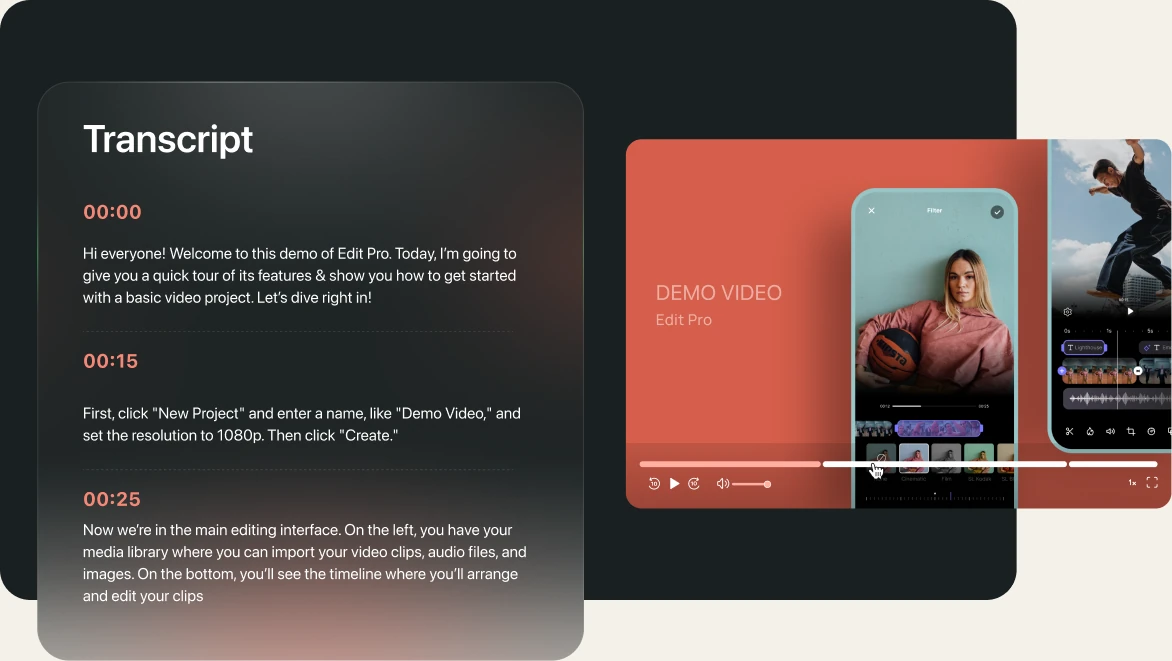
Transcripts, summaries and chapters
Every recording comes with a transcript, summary, & chapters
NeetoRecord transcribes every recording on its own, writes a short summary, and splits it into chapters. Viewers can skim the summary, search the transcript, and jump straight to the part they need without watching the whole thing.
Video sharing
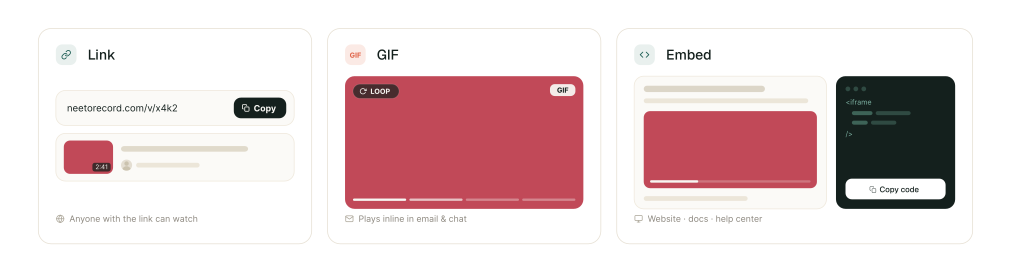
Share it as a link, a GIF,
or an embed
Share your recordings wherever your audience is. Send a simple link, create a quick GIF for instant context, or embed the full recording directly into your website, docs, or help center.


More recordings, for a lot less.
Since 2023, people have made more than 380K recordings with NeetoRecord, about 20,000 every month. Each person gets 200 free videos a month, up to 15 minutes each, where Loom's free plan stops at 25 videos of 5 minutes. When you need more, NeetoRecord Pro is $5 per user a month, or $30 per user a year billed annually. Loom Business is $18 per user a month.
- 380K+Recordings
so far - 200Free videos a month
Loom: 25 - $5Per user, per month
Loom: $18
More free tests
Speaker test questions
Turn your volume up to about half and click Left, Right or Both sides above. You should hear a short chime from the side you picked. Then try the low and high tones.
Check that your volume is up and not muted, and that the right output is selected. On Windows, click the speaker icon in the taskbar and pick your speakers or headphones. On a Mac, open System Settings, then Sound, then Output. If you use Bluetooth headphones, check that they are connected.
Check that your headphones are on the right way round: look for the L and R marks. For speakers, swap the left and right cables or swap the speakers. If they still sound swapped, look for a balance or channel option in your sound settings or your sound card's app.
Small speakers, like those in most laptops and phones, cannot play deep sounds well. This is normal. Headphones and external speakers play low sounds much better.
Yes. The test plays through whatever your computer or phone uses for sound. Pick the device in your sound settings first, then play the sounds.
Test your microphone too, then record your screen and voice with NeetoRecord. It is free for 200 videos a month, and you share each video with a link.
Ready to record?
Record your screen and voice, then share a link. Free for 200 videos a month.