Webcam test
Check that your camera works and see the picture it sends. Free, right in your browser, no sign-up.
When your camera looks good and you want to record your screen and face, use NeetoRecord.
Click the button and allow camera access when your browser asks.
Nothing is recorded or sent. The test runs only in your browser and stops when you leave this page.
Done testing? Record your screen, voice and camera with NeetoRecord.
Record your screen from the desktop app, Chrome, or your browser
Whichever way you like to work, NeetoRecord has a recorder for it, and every recording ends up in the same library.
Desktop app
The most features and the most stable. Mac, Windows, and Linux.
Download for Mac, Windows & Linux →
Chrome extension
Record the tab you're already in, and share it a second after you stop.
Add to Chrome →
Web recorder
Nothing to install. Open NeetoRecord in any browser and hit record.
Start recording in your browser →
- Transcript
- Summary
- Chapters
Transcripts, summaries and chapters
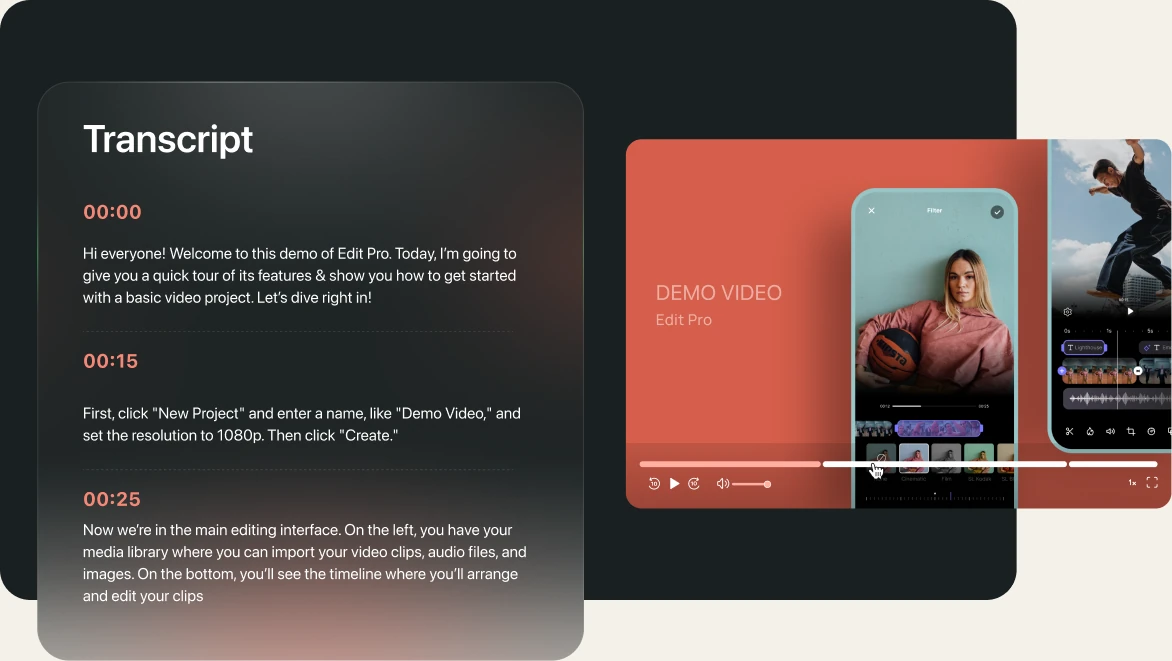
Every recording comes with a transcript, summary, & chapters
NeetoRecord transcribes every recording on its own, writes a short summary, and splits it into chapters. Viewers can skim the summary, search the transcript, and jump straight to the part they need without watching the whole thing.
Video sharing
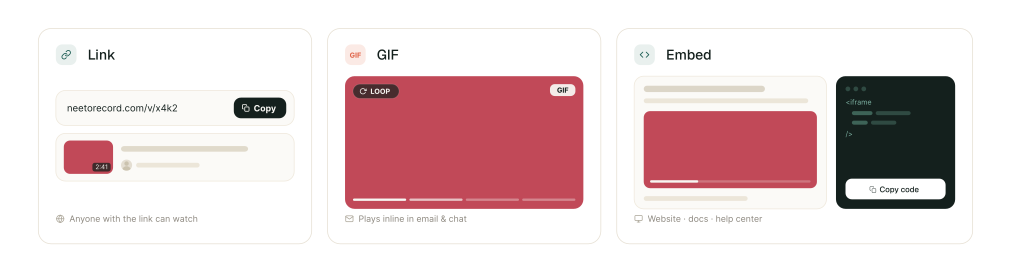
Share it as a link, a GIF,
or an embed
Share your recordings wherever your audience is. Send a simple link, create a quick GIF for instant context, or embed the full recording directly into your website, docs, or help center.


More recordings, for a lot less.
Since 2023, people have made more than 380K recordings with NeetoRecord, about 20,000 every month. Each person gets 200 free videos a month, up to 15 minutes each, where Loom's free plan stops at 25 videos of 5 minutes. When you need more, NeetoRecord Pro is $5 per user a month, or $30 per user a year billed annually. Loom Business is $18 per user a month.
- 380K+Recordings
so far - 200Free videos a month
Loom: 25 - $5Per user, per month
Loom: $18
More free tests
Webcam test questions
Click Test my camera above and allow access. You will see yourself in the preview, with the resolution and frame rate your camera sends. If you have more than one camera, pick another from the list.
First, check your browser's permission. Click the lock or camera icon next to the web address and allow the camera.
Then close other apps that may be using it, like Zoom, Teams or Google Meet. Only one app can use most webcams at a time.
On a Mac, open System Settings, then Privacy and Security, then Camera, and turn on your browser. On Windows, open Settings, then Privacy and security, then Camera.
Resolution is the size of the picture your camera sends, such as 1280 × 720 (720p) or 1920 × 1080 (1080p). Bigger numbers mean a sharper picture. Fps means frames per second. 30 looks smooth, and lower numbers look choppy, often because the room is too dark.
Wipe the lens and face a window or a lamp, so the light falls on your face rather than behind you. Close other apps that use the camera. If the picture is still soft, check the resolution above: your browser may be getting a smaller size.
Most video apps show you a mirror image of yourself, because that feels natural. Other people see you the right way round. Untick Mirror the preview above to see what they see.
Click Test my camera and mic on this page and allow access when your browser asks. In a few seconds, you will see a live preview from your laptop's built-in camera. If the preview stays black, check that no other app is using the camera and that your laptop's camera cover or privacy key is not on.
Yes. The test runs only in your browser. Nothing is recorded, saved or sent to us, and your camera turns off when you leave this page.
Check your microphone too, then record your screen and camera with NeetoRecord. It is free for 200 videos a month, and you share each video with a link.
Ready to record?
Record your screen and camera, then share a link. Free for 200 videos a month.